


STEP 01
Connect it inline.
Connect the USB-C cable to the adapter, then connect the adapter to your device.
Support📧: support@Nnrrn.com
Support📧: support@Nnrrn.com
Support📧: support@Nnrrn.com
Support📧: support@Nnrrn.com
Support📧: support@Nnrrn.com
Support📧: support@Nnrrn.com
Support📧: support@Nnrrn.com
Support📧: support@Nnrrn.com
Support📧: support@Nnrrn.com
Support📧: support@Nnrrn.com
Support📧: support@Nnrrn.com
Support📧: support@Nnrrn.com
Support📧: support@Nnrrn.com
Support📧: support@Nnrrn.com
Support📧: support@Nnrrn.com
Support📧: support@Nnrrn.com
Support📧: support@Nnrrn.com
Support📧: support@Nnrrn.com
Support📧: support@Nnrrn.com
Support📧: support@Nnrrn.com
Support📧: support@Nnrrn.com
Support📧: support@Nnrrn.com
Support📧: support@Nnrrn.com
Support📧: support@Nnrrn.com
Support📧: support@Nnrrn.com
Support📧: support@Nnrrn.com
Support📧: support@Nnrrn.com
Support📧: support@Nnrrn.com
Support📧: support@Nnrrn.com
Support📧: support@Nnrrn.com
Support📧: support@Nnrrn.com
Support📧: support@Nnrrn.com
Support📧: support@Nnrrn.com
Support📧: support@Nnrrn.com
Support📧: support@Nnrrn.com
Support📧: support@Nnrrn.com
Meet the Smart USB-C Auto-Stop Adapter. Designed to stop charging when compatible devices reach full charge, while supporting high-power USB-C charging.
Designed to disconnect charging power when a compatible device reaches full charge.
Supports high-power USB-C pass-through with compatible chargers, cables and devices.
White and blue indicator modes designed for different device categories.
Keep one at home and one at work with our Black Friday Buy 1, Get 1 Free offer.
Couldn't load pickup availability


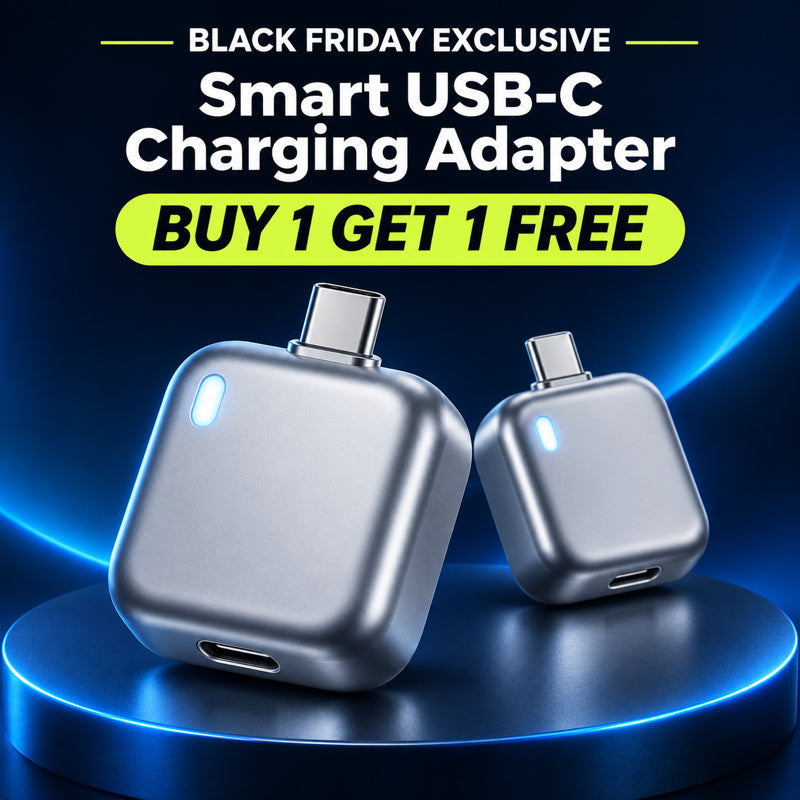
Plugging in before bed should be simple. But leaving a device connected for hours can feel unnecessary—especially when the battery is already full.

Your charging routine deserves a smarter stopping point.
Standard charging setups may stay connected to power even after a device reaches full charge.
Designed to disconnect charging power when a compatible device reaches 100%.

The adapter is designed to interrupt the charging connection after detecting a full battery on supported devices. It's an extra layer of control between your charger and device.
No complicated setup. Use the adapter between your existing USB-C charging cable and supported device.
Connect the USB-C cable to the adapter, then connect the adapter to your device.
Select white mode for supported screen devices or blue mode for eligible power-only electronics.
The adapter is marketed to stop charging when it detects a full charge on compatible devices.


Built around different USB-C charging use cases, with a clear indicator to help you select the intended mode.
Phones, tablets and laptops with compatible USB-C charging and supported detection behavior.
Certain power banks, small fans, grooming tools and similar USB-C electronics, where supported.

Your device's built-in safeguards still matter. This is about adding an optional physical disconnect feature.

| FEATURE | SMART AUTO-STOP ADAPTER | STANDARD USB-C CABLE ALONE |
|---|---|---|
| Inline accessory | ✓ Yes | — Not applicable |
| Physical disconnect mechanism | ✓ Advertised design | Not included in cable itself |
| Selectable operating modes | ✓ White / Blue | Usually not available |
| USB-C high-power support | Up to 140W PD, advertised* | Depends on cable rating |
| Built-in device battery protection | Still provided by the device | Still provided by the device |
This Black Friday, keep an adapter wherever your devices plug in.

Set up your compatible phone for nighttime charging with auto-stop functionality.
Make room for another charging essential beside your everyday tech.
Pack a compact inline accessory for compatible charging setups away from home.
Pick up two Smart USB-C Auto-Stop Adapters for the price of one when your store's BOGO discount is active.

Straight answers about charging, compatibility and the Black Friday deal.

According to the product description, the adapter is designed to physically interrupt charging when it detects a full charge. This behavior depends on device compatibility and is not guaranteed for every USB-C device.
It is intended for compatible USB-C devices. Confirm the connector, power requirements, charging protocol and supported mode for your exact model. Older devices using Lightning connectors need a different setup.
The supplied product listing advertises up to 140W USB-C PD support. Actual charging power is limited by your device, cable, charger and the adapter's supported negotiation and thermal ratings.
White mode is positioned for supported screen devices like phones and tablets; blue mode is positioned for eligible non-screen electronics. Check the manufacturer's instructions for your specific device.
Reducing time at a high charge state can be helpful in some circumstances, but no specific battery-health result can be promised. Most modern phones already manage charging automatically.
Add two eligible adapters to your cart. The free unit should be discounted at checkout only if the store has enabled the advertised Shopify Buy X Get Y promotion. Check the final checkout total before placing your order.
It is promoted for overnight use, but keep charging devices on a hard, ventilated surface and use compliant chargers and cables. Do not charge on bedding or cover the adapter.